
How to Sign Up on the MSG91 Platform
This document provides a step-by-step guide for new users to create an account on the MSG91 platform.
Step 1: Visit the Sign-Up Page
Navigate to the official MSG91 sign-up page:
Click on “Sign up with Email” to begin the registration process.

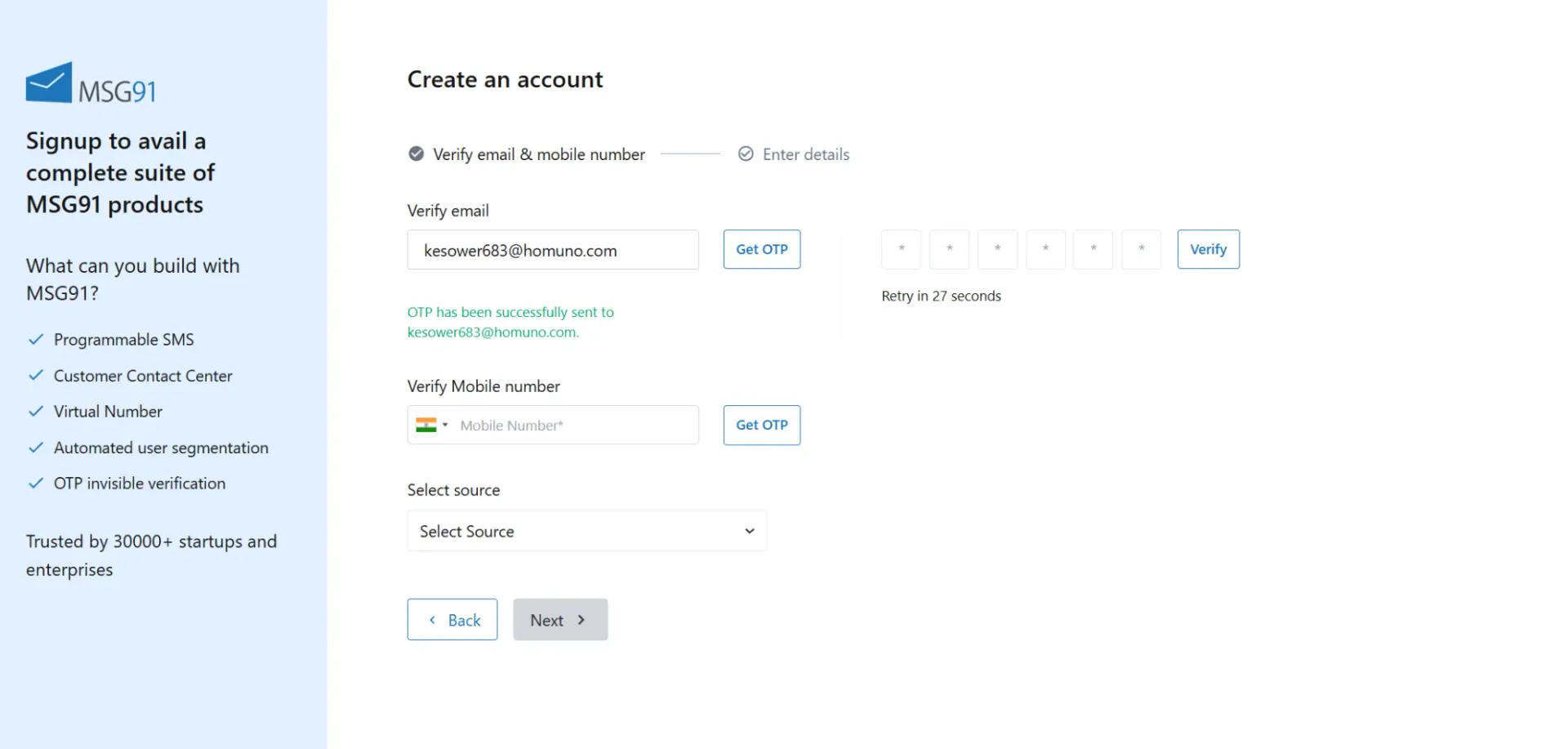
Step 2: Verify Your Email Address
Enter a valid email address.
An OTP (One-Time Password) will be sent to the provided email ID.
Enter the OTP to verify your email address.
Note:
Once verification is successful, a confirmation check mark will appear.
You can re-verify or change the email address if required.

Step 3: Verify Your Mobile Number
Enter your valid mobile number.
Complete the OTP verification sent to your mobile device.

Step 4: Select Information Source
After verifying your email and mobile number:
Select the appropriate option indicating how you came to know about MSG91.

Step 5: Enter Company Details
Click “Next” and provide your company information to create your account.

Important Notes:
Enter your valid company name exactly as mentioned on your GST certificate or Trade License.
If you do not have a GST number, you may proceed without entering GST details.
Step 6: Define Your Account Goals
Select or enter your account goals as prompted.
This helps tailor the platform experience based on your business needs.

Step 7: Complete KYC and Start Using MSG91
Complete the KYC (Know Your Customer) process as required.
Once KYC is completed, you can start exploring and using MSG91’s services.

If you face any issues while signing up, please refer to this article for troubleshooting steps:
Common Signup Problems & Solutions
Happy Messaging :)